
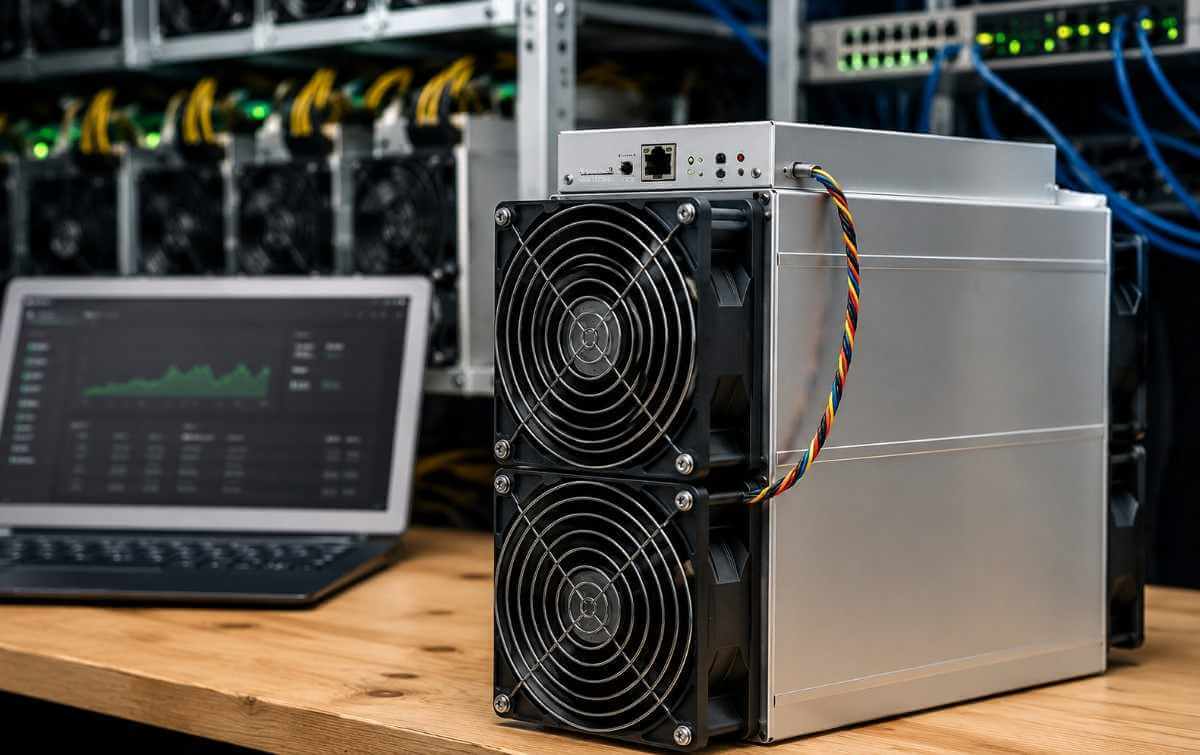
Configuring an Antminer S21 for Bitcoin mining involves connecting the miner to a stable power supply, linking it to your network, accessing its web interface, updating the firmware if needed, entering your mining pool credentials, optimizing performance settings, and monitoring hash rate and temperatures. With the right setup, the Bitmain Antminer S21 can deliver high-efficiency Bitcoin mining while maintaining long-term stability and profitability.
Whether you’re setting up your first ASIC or expanding an existing mining farm, this guide walks you through every step in a simple, beginner-friendly way.
How to Configure Antminer S21 for Bitcoin Mining in 2026
The Bitmain Antminer S21 is one of the most efficient ASIC Bitcoin miners available in 2026. Built for the SHA-256 algorithm, it offers exceptional performance, improved energy efficiency, and reliable operation for both individual miners and commercial mining farms.
Proper configuration is essential to achieve maximum uptime, consistent hash rates, and optimal energy consumption. Incorrect settings can reduce mining efficiency or even cause unnecessary downtime.
This guide explains everything you need to know to configure your Antminer S21 correctly from the very beginning.
What You’ll Need Before Setup
Before powering on your Bitcoin miner, make sure you have the following:
- Antminer S21 ASIC miner
- Compatible power supply (if not integrated)
- Ethernet cable
- Stable internet connection
- Mining pool account
- Bitcoin wallet address
- Computer or laptop connected to the same network
Having these ready will make the setup process much smoother.
Step 1: Connect the Hardware
Start by placing the miner in a well-ventilated area.
Connect:
- Power cables securely
- Ethernet cable to your router or switch
- Power on the machine
The miner will boot automatically. This usually takes several minutes before it becomes available on your local network.
Avoid placing the miner in enclosed spaces where airflow is restricted, as excessive heat affects mining performance.
Step 2: Find the Antminer S21 IP Address
To configure the miner, you’ll first need its IP address.
Common methods include:
- Using Bitmain’s IP Reporter tool
- Checking your router’s connected devices list
- Using a network scanner
Once located, enter the IP address into your web browser.
You’ll reach the Antminer login page.
The default credentials are often:
- Username: root
- Password: root
For security, change these credentials after your initial setup.
Step 3: Configure Mining Pool Settings
After logging into the dashboard:
Navigate to:
Miner Configuration → General Settings
Enter:
- Primary mining pool URL
- Worker name
- Worker password
Most mining pools also recommend adding backup pools to prevent downtime if the primary server becomes unavailable.
If you’re planning to buy Antminer S21 units for a larger mining operation, creating standardized pool configurations can significantly simplify deployment and ongoing management across multiple machines.
Click Save & Apply.
The miner will restart and begin connecting to the mining pool.
Step 4: Update the Firmware
Firmware updates often improve:
- Stability
- Security
- Mining efficiency
- Compatibility
Visit the official Bitmain support page and download the latest firmware specifically designed for your Antminer S21 model.
Upload the firmware through:
System → Upgrade
Do not interrupt the power during the update.
After completion, the miner will reboot automatically.
Step 5: Optimize Network Settings
For reliable mining, configure your network carefully.
Best practices include:
- Assign a static IP address
- Use a wired Ethernet connection
- Avoid unstable Wi-Fi bridges
- Ensure router firewall rules don’t block mining traffic
Stable connectivity minimizes rejected shares and maintains consistent mining performance.
Step 6: Monitor Hash Rate and Performance
After configuration, visit:
Miner Status
Here you’ll monitor:
- Current hash rate
- Board temperatures
- Fan speed
- Pool status
- Accepted shares
- Rejected shares
- Hardware errors
Allow approximately 15–30 minutes before evaluating the miner’s performance.
Small fluctuations are normal during startup.
Step 7: Fine-Tune for Efficiency
Although factory settings are optimized, experienced miners may adjust operating profiles depending on electricity costs and cooling conditions.
Consider:
- Power mode
- Performance mode
- Fan control
- Temperature limits
Avoid aggressive overclocking unless you fully understand the associated risks, as excessive heat can shorten hardware lifespan.
Maintaining balanced performance generally provides better long-term profitability than chasing maximum hash rates.
Best Practices for Stable Bitcoin Mining
For consistent mining performance:
- Keep ambient temperatures below recommended limits.
- Clean dust from fans regularly.
- Use surge protection.
- Monitor uptime daily.
- Replace faulty network cables immediately.
- Keep firmware updated.
- Use reliable mining pools.
- Secure your login credentials.
Preventive maintenance is often more valuable than fixing unexpected hardware failures.
Common Antminer S21 Configuration Problems
1. Miner Doesn’t Appear on the Network
Possible causes include:
- Faulty Ethernet cable
- Router issue
- Incorrect IP detection
Restart both the router and miner before troubleshooting further.
2. Unable to Connect to Mining Pool
Verify:
- Pool URL
- Worker name
- Password
- Internet connectivity
Even a small typo can prevent successful connections.
3. Low Hash Rate
Possible reasons include:
- Overheating
- Old firmware
- Poor ventilation
- Unstable power supply
Review Miner Status logs to identify hardware errors.
4. High Hardware Error Rate
Check:
- Cooling performance
- Power quality
- Firmware version
Persistent hardware errors may indicate failing components requiring professional inspection.
Antminer S21 vs Other Bitcoin Miners
The Antminer S21 stands out because of its combination of:
- High energy efficiency
- Excellent SHA-256 performance
- Reliable hardware
- Easy web-based management
- Enterprise-grade stability
Compared to older ASIC models, the S21 offers significantly improved performance per watt, making it an attractive option for modern Bitcoin mining operations.
If you’re comparing ASIC brands, you may also find our guide on How to Configure WhatsMiner for Bitcoin Mining helpful:
Final Thoughts
Configuring the Bitmain Antminer S21 correctly is one of the most important steps toward successful Bitcoin mining. A proper setup ensures stable operation, higher efficiency, lower downtime, and improved long-term returns.
By following this guide—from connecting the hardware and configuring your mining pool to monitoring performance and keeping firmware updated—you’ll build a more reliable mining operation capable of delivering consistent results throughout 2026 and beyond.
Whether you’re operating a single bitcoin miner at home or managing a larger mining facility, investing time in proper configuration pays off through improved performance, better uptime, and greater operational confidence.
Frequently Asked Questions
How long does it take to configure an Antminer S21?
Most users can complete the setup in about 15–30 minutes, depending on network configuration and firmware updates.
Does the Antminer S21 support Wi-Fi?
No. The Antminer S21 is designed for wired Ethernet connections to ensure maximum stability and consistent mining performance.
Which mining pool should I use?
Choose a reputable Bitcoin mining pool with reliable uptime, transparent fees, and servers located close to your region for lower latency.
Should I update the firmware before mining?
Yes. Installing the latest firmware improves security, compatibility, and overall miner stability.
Can beginners configure an Antminer S21?
Yes. The web interface is straightforward, and by following a step-by-step guide, most beginners can configure the miner without advanced technical knowledge.
How can I improve Antminer S21 efficiency?
Maintain proper cooling, keep firmware updated, use a stable power supply, monitor temperatures regularly, and ensure your miner stays connected to a reliable mining pool.